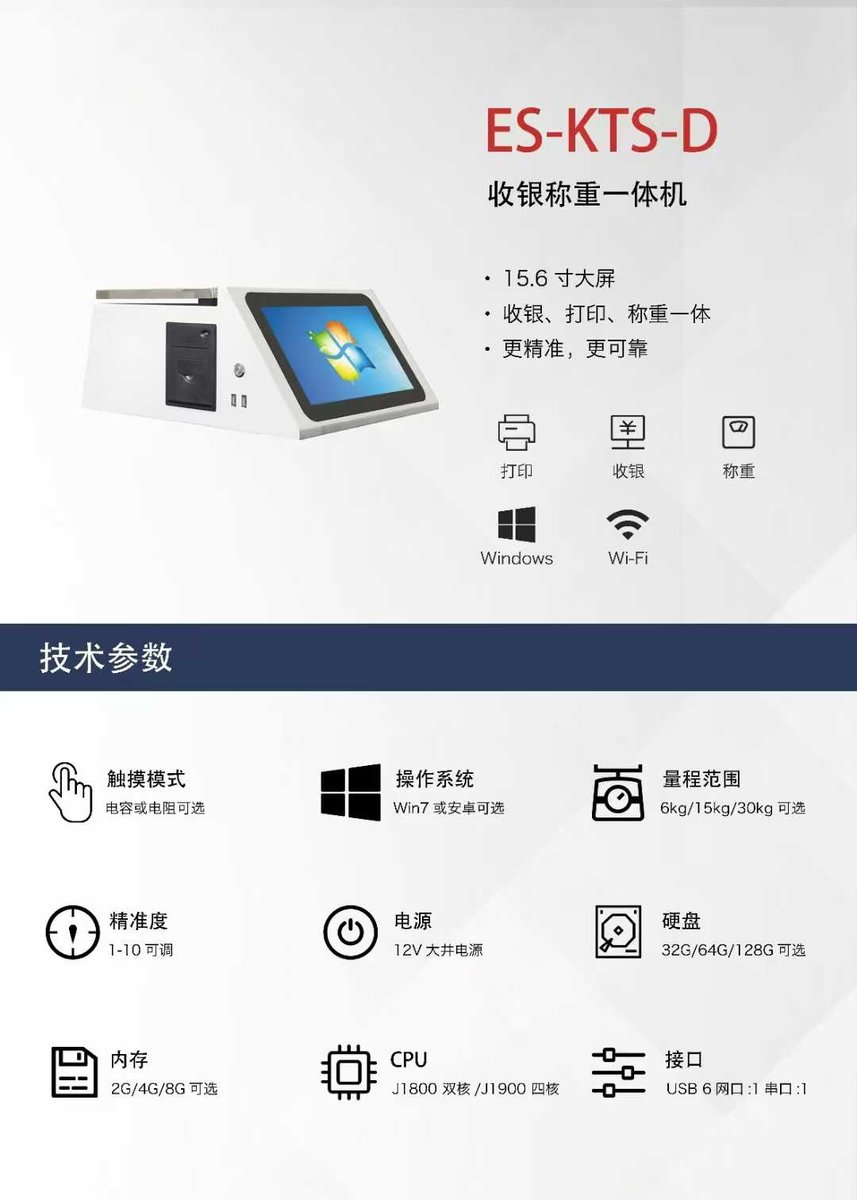
Core Value: Many factories have work instructions, quality cards, and packaging specs posted on walls or buried in file folders. Workers waste time looking for them, miss updates, and make mistakes. The smart scale's large touchscreen becomes an information terminal right at the workstation — scan a product and instantly see all three on one screen.
Three Types of Info, One Screen
After scanning or selecting a product, the 15.6-inch HD touchscreen automatically displays three categories of information:
Work Instructions (SOP)
Process parameters, assembly steps, operating procedures, and safety notes. Supports text, images, drawings, and multi-page viewing.
Quality Requirements
Inspection standards, critical dimension tolerances, visual requirements, and checklists. Auto-verification at weighing with real-time alerts.
Packaging Standards
Standard packing quantity, packaging method, label format, and shipping marks. System checks quantity as you pack.
Why a Weighing Scale is the Perfect Instruction Terminal
Most factories use paper posted on walls, separate tablets, or desktop computers to display work instructions. All have major drawbacks:
Traditional Method
- ❌ Paper gets dirty, torn, and rarely updated
- ❌ Flipping through paper SOPs slows down work
- ❌ Quality cards and SOPs are separate — workers toggle back and forth
- ❌ Extra tablets/computers cost money and take up space
- ❌ New workers take days to learn which specs apply
Smart Scale + Terminal
- ✅ Built-in screen — no extra hardware needed
- ✅ Scan and see — doesn't disrupt weighing workflow
- ✅ SOP + Quality + Packing — all in one place
- ✅ Centralized updates — change once, all scales sync
- ✅ Auto-verification at weighing — double protection
Bottom Line: Every packing workstation already has a scale. Putting instructions on the scale means workers see what they need without moving, flipping pages, or buying extra devices.
Who Benefits
- Production Workers: Scan → read SOP on screen → follow steps → weigh → pack — all at one station
- Quality Inspectors: Scan a product to pull up its quality specs, check each item, approve on the spot
- Team Leaders: Enter SOP/quality/packing data once in the backend, all scales show it instantly
- Management: All work instructions, quality standards, and packing specs managed digitally — always up to date and traceable
Detailed Module Breakdown
📖 Work Instructions (SOP) Display
- Visual Content: Upload process flow diagrams, assembly illustrations, and photos — pinch to zoom
- Step-by-Step Text: Clear numbered steps with highlights on critical points, adjustable font size
- Process Parameters: Cutting speed, feed rate, torque values, temperature ranges — shown clearly
- Multi-Page: Multiple SOP pages per product, swipe to flip through
- Version Control: Updates automatically replace old versions — no risk of outdated instructions
✅ Quality Requirements Display
- Inspection Checklist: Shows all inspection items (dimensions, appearance, material, performance)
- Tolerance Ranges: Upper/lower limits for critical dimensions clearly marked, auto-verified at weighing
- Reject Handling: Out-of-spec items flagged with disposition guidance (rework/scrap/concession)
- Sampling Plans: AQL standards and inspection frequency displayed — operator follows screen prompts
- Quality Dashboard: View recent quality stats for the product to identify common issues
📦 Packaging Standards Reference
- Pack Quantity: Standard count per box, net/gross weight ranges
- Packing Method: Inner packaging material (bags/bubble wrap/partitions), outer carton specs
- Label Format: Preview of inner/outer labels, shipping mark content, position, and font requirements
- Packing Steps: Detailed instructions — bag first or divider first, tape type, sealing method
- Strapping Rules: Number of straps, stretch wrap layers, pallet stacking limits
Real Scenario: A new worker on day one scans a product → screen shows "Place in plastic bag → insert divider → pack 100 per box → seal and label" → they follow along and get it right. Training time drops from 3 days to 1 day.
Centralized Management, Instant Sync
All instructions are managed through a central backend:
- Web Admin: Managers edit or batch import from Excel on any computer
- Product-Linked: Each SOP/quality card/packing card is tied to a specific product — scan and auto-match
- Role-Based Access: Engineers edit SOPs, QC edits quality specs, operators view only
- Instant Updates: Backend changes sync to all scales on next scan — no manual updates needed
- Multi-Language: Display SOPs in Chinese or English based on operator preference